Press

Press kit.

Timetide puts your class timetable on the iPhone Lock Screen — a Live Activity that counts down to your next class, with no account and no schedule data leaving the device. Everything below is free to use in editorial coverage. If you need something that isn't here, just ask.

Assets

Everything, in one download.

Logos as vectors, product renders at full resolution. No registration, no email required.

Timetide Press Kit

5 logo files · 4 product renders · usage notes  ·  ZIP, 3.4 MB

Download kit

Logos Vector — scales to any size

Logo mark — light

For light backgrounds. The swell with the green moment at its crest.

SVG · 4 KB

Timetide logo mark on a dark background

Logo mark — dark

For dark backgrounds. Same mark, with the unfilled arc lightened so it stays visible.
SVG · 4 KB

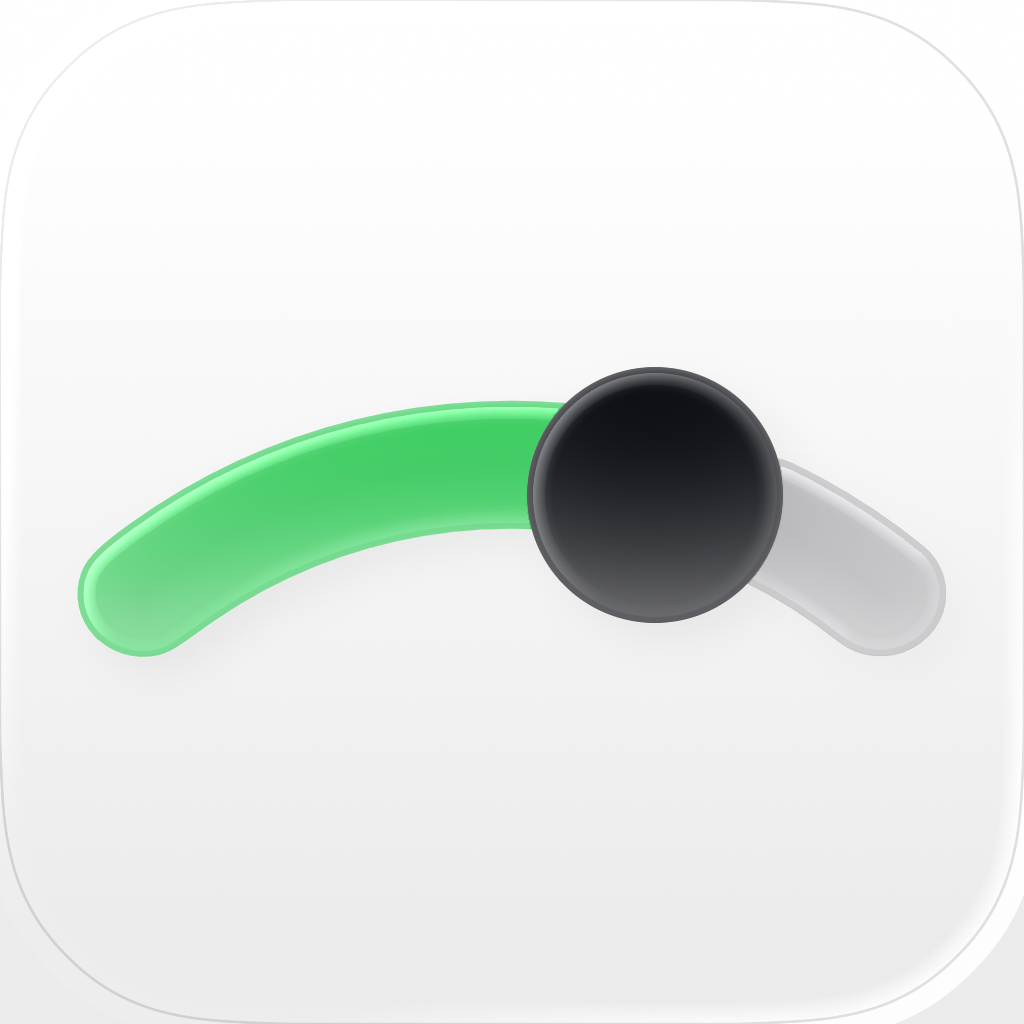
Timetide app icon, default light appearance

App icon — default

What the App Store listing shows, and what a light Home Screen displays. Light ground, green arc, dark dot.

PNG 1024×1024

Timetide app icon, dark appearance

App icon — dark

The dark appearance, shown on a dark Home Screen. The Lock Screen at night — charcoal ground, white mark, green moment.

SVG · PNG 180×180

Product shots Device renders — PNG and WebP
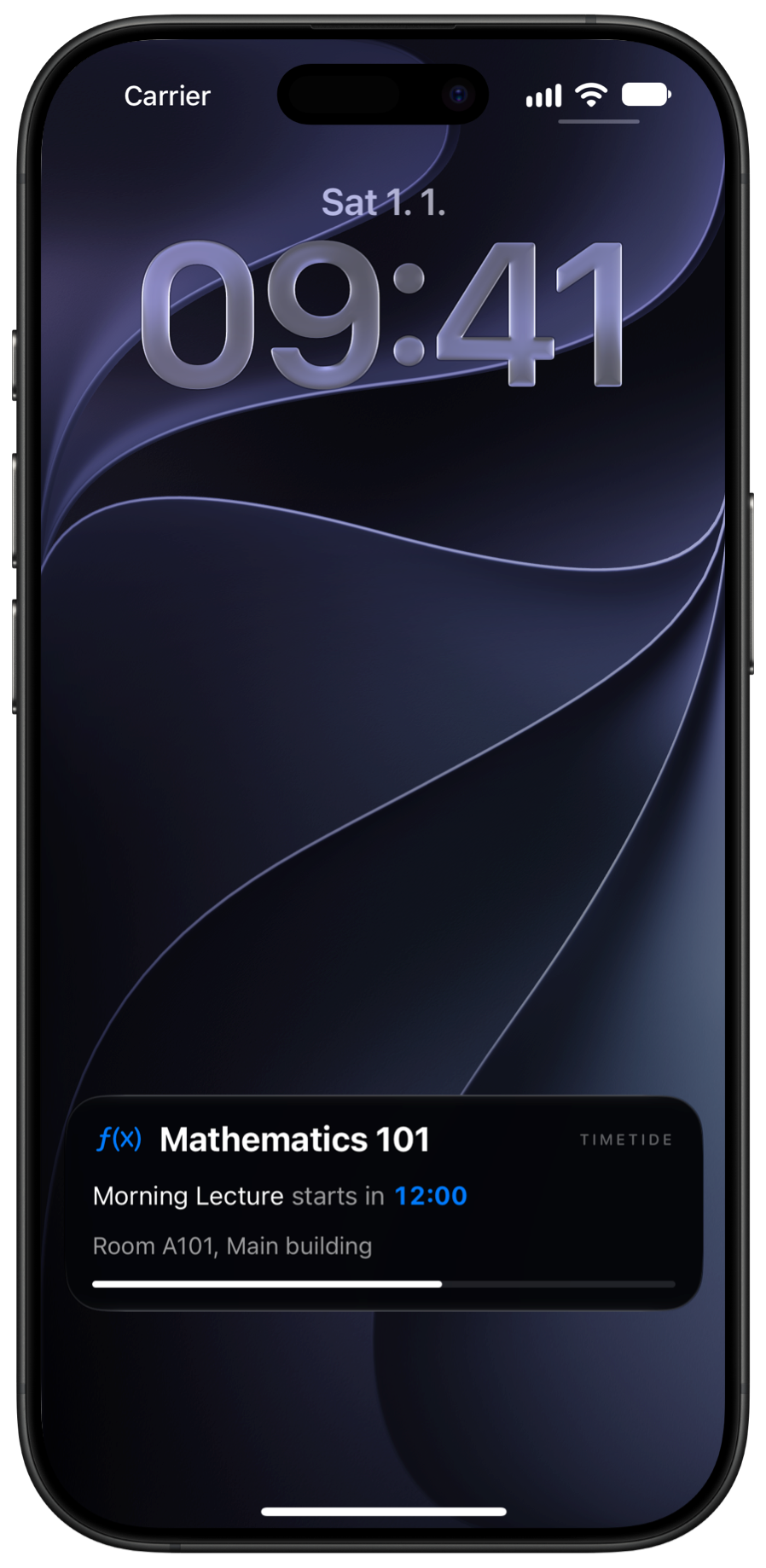
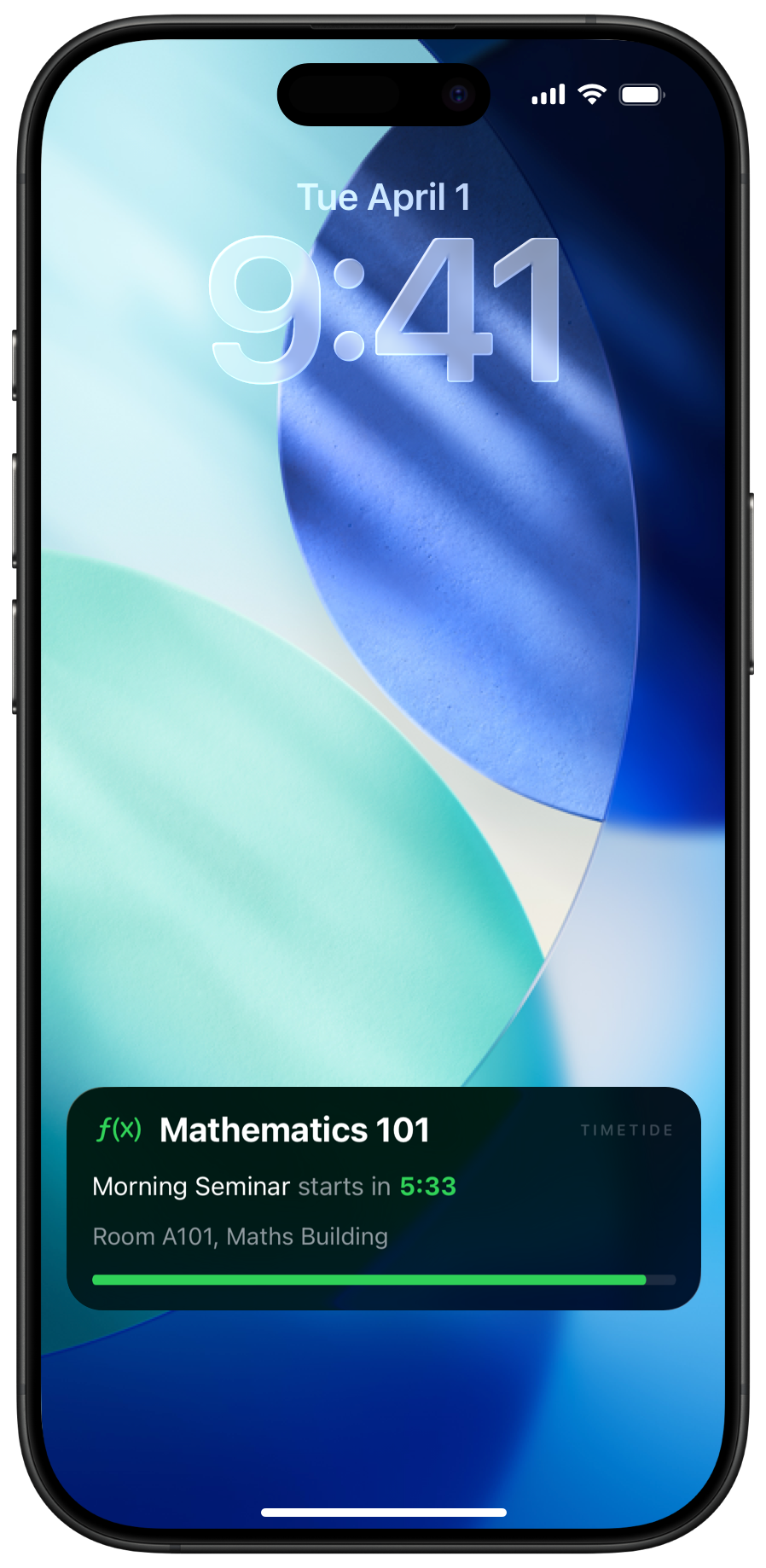
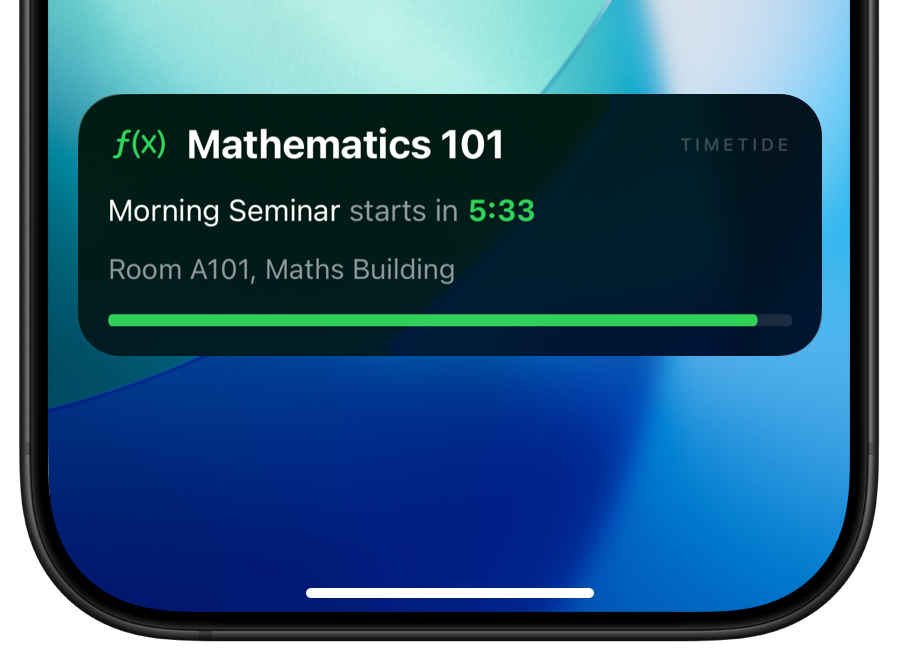
Timetide Live Activity on the iPhone Lock Screen

Lock Screen

The full Lock Screen with the Live Activity in place — subject, room, and a running countdown.

898×1838 · PNG 1.5 MB · WebP 792 KB

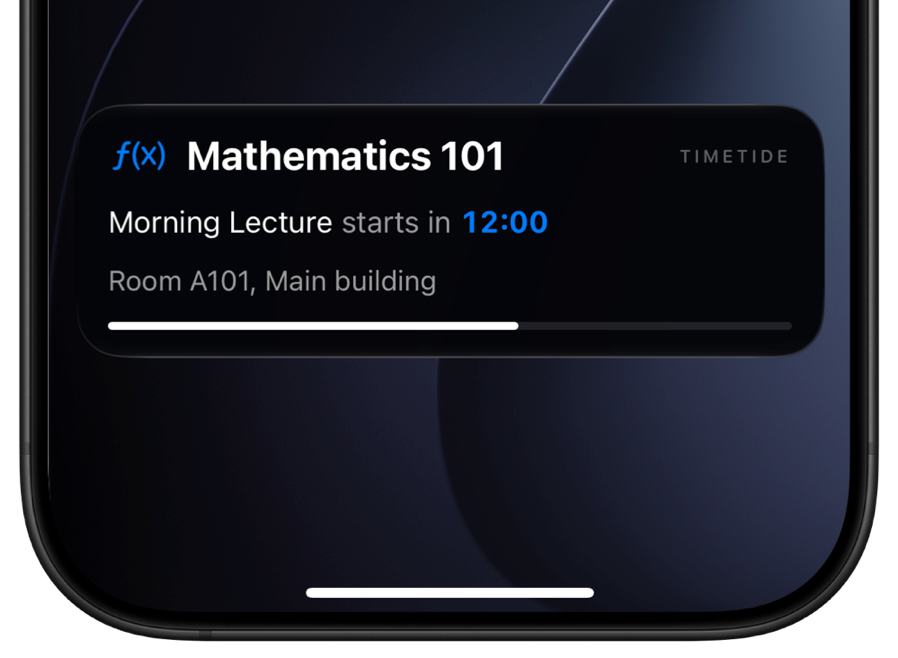
Close crop of the Timetide Live Activity card

Live Activity card

Close crop of the card on its own, without the surrounding Lock Screen chrome.

898×658 · PNG 416 KB · WebP 220 KB

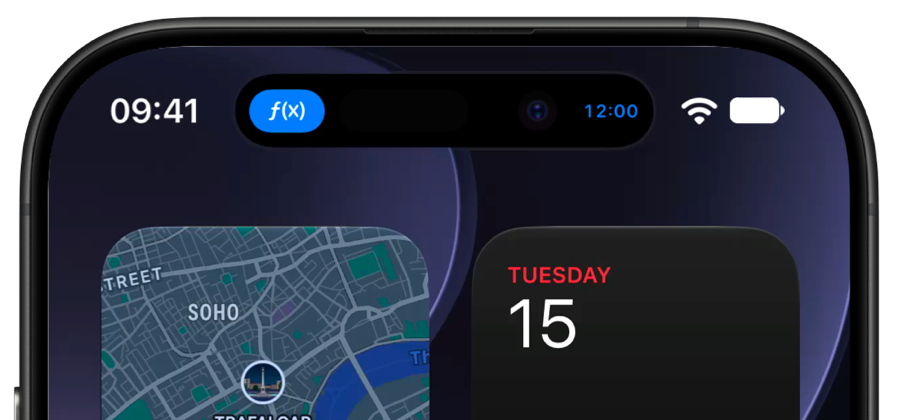
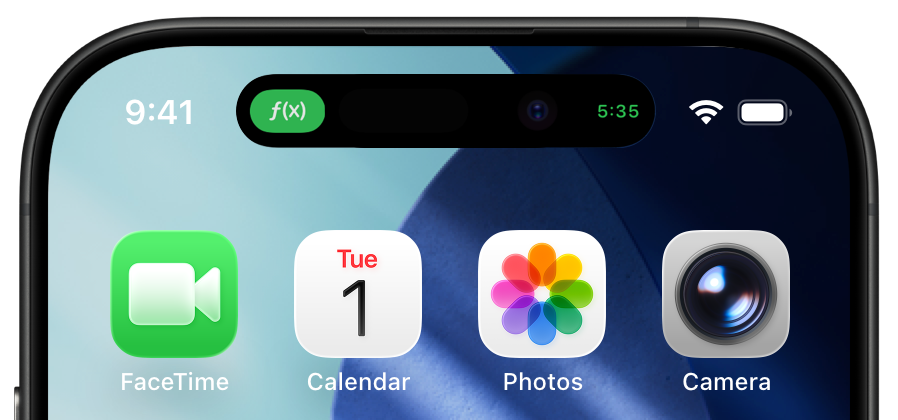
Timetide in the compact Dynamic Island

Dynamic Island — compact

The collapsed state, showing time remaining alongside the subject colour.

898×420 · PNG 256 KB · WebP 148 KB

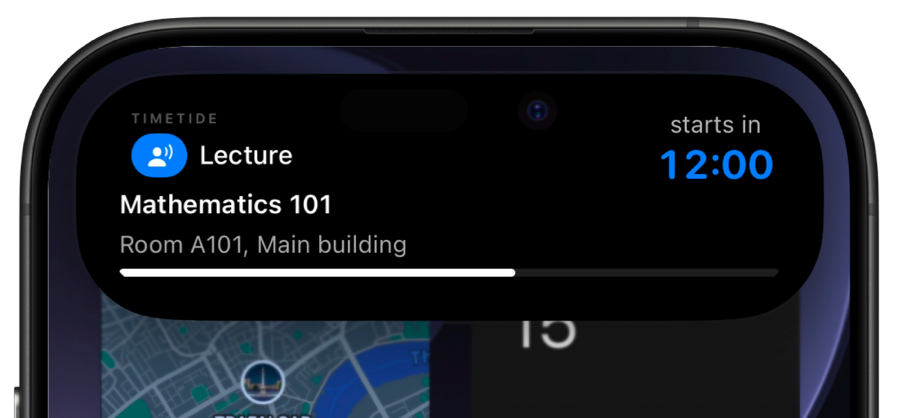
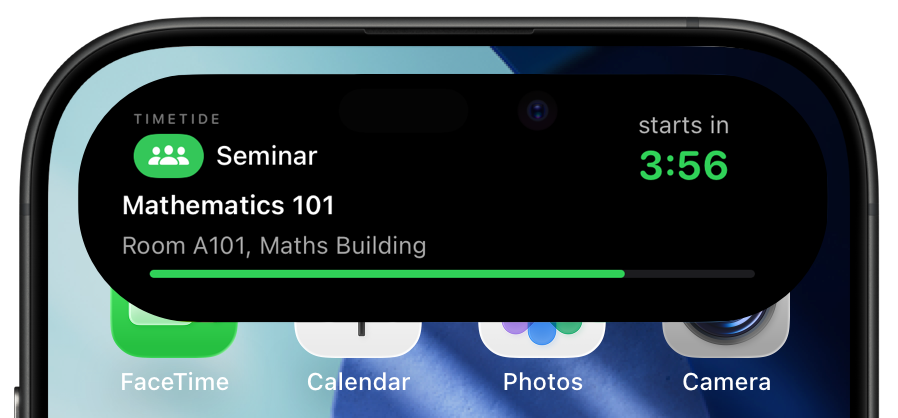
Timetide in the expanded Dynamic Island

Dynamic Island — expanded

Long-pressed, showing the full subject name, room, and time remaining.

898×418 · PNG 242 KB · WebP 133 KB

Usage

Use them freely. Just don't redraw them.

✓

Reproduce these assets in editorial coverage of Timetide — articles, reviews, roundups, videos.

✓

Crop the product renders, and use whichever logo version suits your background.

✕

Don't recolour, rotate, stretch, or otherwise alter the logo mark — and don't remove the green dot. It's the part that means something.

✕

Don't use the name or logo to imply endorsement, partnership, or affiliation.

Contact

Talk to a person, not a press office.

Press mail goes straight to the people who build Timetide — no agency, no press office. Expect a reply within a couple of days.

Press enquiries

Review copies, interviews, extra assets, or a question about how something works under the hood.

hello@timetide.eu

Follow along

Build updates, screenshots, and launch news as it happens.

@timetideapp

Coverage

Where Timetide has been written about.

Nothing here yet.
If you've written about Timetide, send the link and it'll go up.